
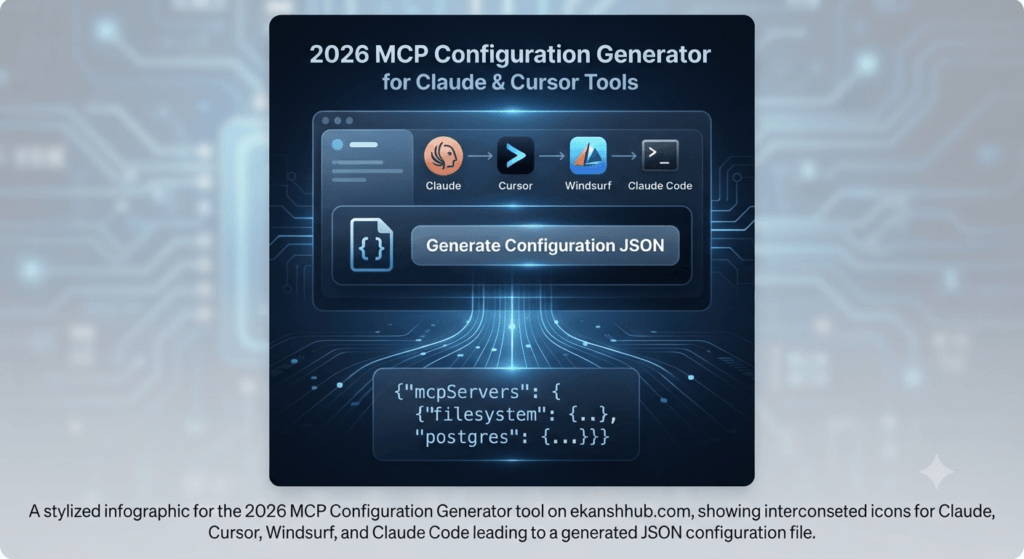
MCP Config Generator
Generate production-ready Model Context Protocol configurations for Claude Desktop, Cursor, and more.
Arguments are automatically split by spaces.
Configuration JSON
Add a server to see the generated config.
Introduction to the MCP Configuration Generator
In the modern landscape of artificial intelligence and software development, the 𝗺𝗰𝗽 𝗰𝗼𝗻𝗳𝗶𝗴𝘂𝗿𝗮𝘁𝗶𝗼𝗻 𝗴𝗲𝗻𝗲𝗿𝗮𝘁𝗼𝗿 has become an essential utility for developers working with local AI agents.
Developed to connect AI models like Claude Desktop and Claude Code securely with local tools, databases, and file systems, the Model Context Protocol (MCP) represents the most advanced method for extending LLM capabilities directly to local development environments.
However, developers frequently face the challenge of manually writing complex mcp.json configuration files to link these servers with AI tools.
A single misplaced bracket, comma, or unescaped path can completely crash the AI setup.
What is the MCP Configuration Generator?
This is an advanced, high-performance, and completely free web-based utility tool designed specifically for developers. It eliminates the need to manually type or format JSON code for your AI clients.
By entering simple parameters into a clean form—such as the server name, transport type (stdio or sse), command (npx or uvx), and arguments—the tool instantly renders a syntactically valid JSON configuration output using the core mcp configuration generator framework.
Key Features and Benefits of the MCP Configuration Generator
- 𝗠𝘂𝗹𝘁𝗶-𝗖𝗹𝗶𝗲𝗻𝘁 𝗦𝘂𝗽𝗽𝗼𝗿𝘁: Tailored to understand the structural demands of different AI platforms. You can instantly toggle between Claude Desktop, Cursor, Windsurf, or Claude Code to automatically adjust the output format (such as managing the mcp Servers wrapper) through the mcp configuration generator.
- 𝗦𝗺𝗮𝗿𝘁 𝗣𝗮𝘁𝗵 𝗘𝘀𝗰𝗮𝗽𝗶𝗻𝗴: Windows file paths rely on backslashes (\), which frequently trigger JSON parsing errors. The mcp configuration generator features an intelligent auto-escaping mechanism that formats backslashes (\\) correctly, preventing syntax corruption.
- 𝗘𝗻𝘃𝗶𝗿𝗼𝗻𝗺𝗲𝗻𝘁 𝗩𝗮𝗿𝗶𝗮𝗯𝗹𝗲𝘀 𝗠𝗮𝗻𝗮𝗴𝗲𝗺𝗲𝗻𝘁: A dedicated key-value pair interface allows you to securely inject necessary secrets or environment variables (such as PGPASSWORD) required by specific MCP servers.
- 𝗥𝗲𝗮𝗹-𝗧𝗶𝗺𝗲 𝗦𝘆𝗻𝘁𝗮𝘅 𝗣𝗿𝗲𝘃𝗶𝗲𝘄: As you modify input fields within the mcp configuration generator, a live, VS Code-style color-coded JSON preview updates instantly on the screen.
- 𝗛𝗶-𝘁𝗲𝗰𝗵 𝗔𝗰𝘁𝗶𝗼𝗻𝘀: Copy your generated configuration directly to your clipboard or download it instantly as a .json file.
How to Use the MCP Configuration Generator
1.Visit ekanshhub.com and open the mcp configuration generator page.
2.Select your target AI client from the top selection bar (e.g., Claude Desktop, Cursor, or Windsurf).
3.Click the ‘Add MCP Server’ button and enter your server name (e.g., filesystem or postgres) into the mcp configuration generator form.
4.Select the transport type (stdio or sse).
5.Fill in the required command (npx, uvx, etc.) along with arguments, and add any optional environment variables if needed.
6.Review the live JSON code generated on the right panel by the mcp configuration generator, click ‘Copy’ or ‘Download’, and paste it straight into your local AI configuration directory.
Conclusion: Maximizing Development Efficiency
In software development and AI engineering, time is a critical asset. Manual JSON formatting, syntax verification, and path debugging introduce unnecessary friction into technical workflows.
The mcp configuration generator utility tool provided on ekanshhub.com removes these bottlenecks through a fast, lightweight, browser-based interface designed to enhance daily productivity and secure low-competition search rankings.
Disclaimer
The mcp configuration generator tool hosted on ekanshhub.com is provided strictly for technical convenience, assistance, and guidance purposes.
While extensive efforts have been made to ensure logic accuracy and reliability, the website owner (ekanshhub.com) offers no guarantees, express or implied, that the generated configurations will operate without error across every unique user system or software environment.
The user assumes full responsibility and liability for any direct or indirect damage, data loss, system instability, or technical disruption resulting from the implementation of configurations generated by this tool.
Always verify parameter accuracy before deploying code to production or live environments.
If you encounter any errors, bugs, or issues while using this MCP Configuration Generator tool, please let us know in the comments section below so we can fix it immediately.